







Kelsey O’Berry | 09/3/2025
What is FIDO Authentication & How Passwordless Login Works
Speak With An Expert

Solutions
Main menu
Discover the most durable, secure logical access control systems. rf IDEAS is backed by engineering and technical support to address any authentication need.
Industries
Main menu
Discover industry-specific digital access control systems, from healthcare to education, for your security-critical business needs.
Products
Main menu
WAVE ID® card readers are contactless access control solutions from rf IDEAS, the creators of pcProx card readers. Learn all about our RFID readers here.
Credentials
Main menu
Supporting the widest range of access control credentials and authentication credentials worldwide, rf IDEAS enables quick access and simplified authentication for organizations across the world.
Partners
Main menu
As a member of the ENGAGE Partner Program, it’s simple to get the answers you need and the marketing materials and technical information that help build customer relationships.
Support
Main menu
Get all the support you need to be successful. Our support center provides product manuals, firmware and application downloads, software conversion tools, answers to frequently asked questions, and access to live technical and sales support
About us
Main menu
rf IDEAS manufactures authentication solutions designed to simplify complex security problems and workflows across multiple industries.
Solutions
Main menu
Discover the most durable, secure logical access control systems. rf IDEAS is backed by engineering and technical support to address any authentication need.
Industries
Main menu
Discover industry-specific digital access control systems, from healthcare to education, for your security-critical business needs.
Products
Main menu
WAVE ID® card readers are contactless access control solutions from rf IDEAS, the creators of pcProx card readers. Learn all about our RFID readers here.
Credentials
Main menu
Supporting the widest range of access control credentials and authentication credentials worldwide, rf IDEAS enables quick access and simplified authentication for organizations across the world.
Partners
Main menu
As a member of the ENGAGE Partner Program, it’s simple to get the answers you need and the marketing materials and technical information that help build customer relationships.
Support
Main menu
Get all the support you need to be successful. Our support center provides product manuals, firmware and application downloads, software conversion tools, answers to frequently asked questions, and access to live technical and sales support
About us
Main menu
rf IDEAS manufactures authentication solutions designed to simplify complex security problems and workflows across multiple industries.
Securing online accounts and data is more important than ever as the threat landscape adapts to new technologies like large language model (LLM) chatbots and other AI tools. Since the launch of ChatGPT in November 2022, there has been an increase in malicious emails by 4151%. While AI holds some promise from the threat detection and security perspective, the human element of cybercrimes remains relevant. People are an organization's most targeted aspect and from October 2023 to March 2024, credential phishing rose by 217%, spanning across email, mobile, social, and collaboration.
As organizations strive to combat these escalating cyber threats, innovative methods for securing sensitive information are essential. One such method that has gained significant traction in the face of these challenges is FIDO authentication. Designed to enhance online security while addressing the vulnerabilities associated with traditional passwords, FIDO authentication leverages a combination of advanced technologies to provide a robust solution.
But what is FIDO authentication, and why does it matter in the context of today's evolving threat landscape? In this blog, we'll explore the ins and outs of FIDO authentication, its benefits, and why it might be the key to a safer digital future for users spanning multiple industries.
FIDO, which stands for Fast IDentity Online, is a set of open standards designed to enhance online security by reducing the reliance on passwords. It is an industry consortium that has developed specifications to provide simpler and stronger authentication processes. Instead of traditional passwords, FIDO authentication uses a combination of hardware devices, biometrics, and other factors to verify a user's identity.
FIDO authentication is based on open standards that are designed to enable secure, passwordless login across different devices. Its latest evolution, FIDO2, is built on WebAuthn (Web Authentication) and CTAP (Client to Authenticator Protocol). WebAuthn allows browsers and web applications to register and verify users using credentials instead of passwords. Alternatively, CTAP enables external authenticators, like USB security keys, NFC tokens, and smartphones, to securely communicate with a user’s device during authentication. Together, these technologies form a unified framework that allows users to authenticate with devices such as smartphones, laptops, and hardware keys, providing organizations with a standardized way to implement strong, seamless, cross-platform passwordless authentication across modern browsers and operating systems.
While FIDO authentication is typically discussed alongside traditional multi-factor authentication (MFA), the two approaches are different. Both aim to strengthen account security beyond passwords; however, FIDO authentication takes a fundamentally different approach by eliminating shared secrets and relying on cryptographic credentials. The table below highlights the key differences between FIDO authentication and traditional MFA methods.
| Feature | FIDO Authentication | Traditional MFA |
| Password required | No | Usually yes |
| Phishing resistance | Very high | Medium |
| Authentication factors | Cryptographic key | OTP, SMS, apps |
| Security level | Strong | Moderate |
Passkeys are a modern implementation of FIDO authentication that allows users to sign in using biometric authentication methods, such as Face ID, Touch ID, or device PINs. Instead of relying on a physical security key, passkeys can be securely stored and synced across devices using platform credential managers.
FIDO authentication employs public key cryptography to securely authenticate users. When a user registers a device with a FIDO-enabled service, a pair of cryptographic keys is generated. The private key remains on the user's device, while the public key is stored on the server. During authentication, the server sends a challenge to the user's device, which is signed using the private key. This signed challenge is then verified using the public key, confirming the user's identity without transmitting sensitive information.
As cyber threats continue to evolve, organizations are turning to FIDO authentication in order to strengthen identity security without increasing friction for their users. Below are several scenarios where FIDO-based authentication is being used to improve security across different industries.
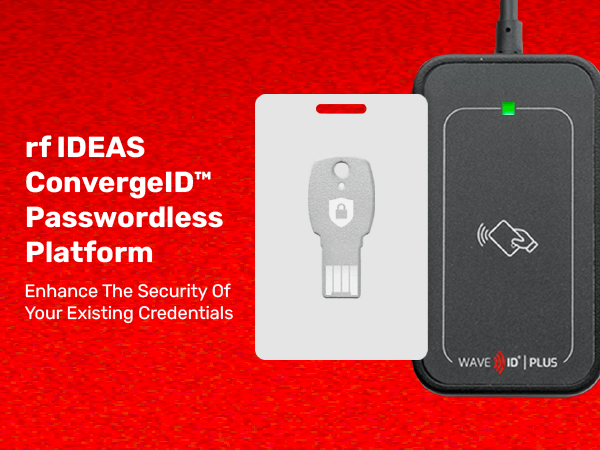
FIDO keys are physical devices, such as USB security keys or NFC-enabled smart cards, that facilitate secure authentication. These keys store the user's private cryptographic key and are used to sign authentication challenges. FIDO keys offer an additional layer of security, as they require physical possession of the device to authenticate.
FIDO authentication relies on authenticators, which are devices or built-in technologies that store cryptographic keys used to verify a user’s identity during login. These authenticators generate and use the private key required for authentication, which ensures the key never leaves the device. FIDO authenticators generally fall into two main categories: platform authenticators and roaming authenticators.
Platform authenticators are built directly into a user’s device, like a laptop, smartphone, or tablet. Since they are embedded within the operating system, they allow users to authenticate using built-in security features like biometrics or device PINs.
Common examples include:
Platform authenticators make passwordless authentication seamless because users can verify their identity using familiar device features. These authenticators are commonly used with passkeys, allowing credentials to be securely stored and synced across all trusted devices.
Roaming authenticators are external devices that can be used across multiple systems and platforms. They are not tied to a specific device and can be carried by the user, making them particularly useful for enterprise environments where employees may log in from multiple machines.
Examples of roaming authenticators include:
These authenticators typically connect through USB, NFC, or Bluetooth and require the user to physically possess the device during authentication. Since they rely on hardware-based keys, roaming authenticators provide strong protection against phishing attacks and credential theft.
Some modern authentication solutions combine elements of both platform and roaming authenticators. For example, smartphones can act as authenticators for other devices, allowing users to approve login attempts using biometrics on their phone while accessing services on another device.
This hybrid approach helps extend passwordless authentication to a wider range of use cases while maintaining strong security.
Together, platform, roaming, and hybrid authenticators provide organizations with flexible options for implementing FIDO authentication across different environments, whether it be consumer applications or enterprise identity systems. By leveraging these authenticators, organizations can deploy secure, phishing-resistant login experiences without relying on traditional passwords.
Traditional password-based authentication has several vulnerabilities. Passwords can be guessed, stolen, or phished, making them a weak link in online security. FIDO authentication addresses these issues by eliminating the need for passwords altogether. By using cryptographic keys and secure devices, FIDO provides a more robust and secure way to authenticate users.
FIDO authentication not only enhances security but also improves the user experience. With FIDO, users can enjoy quick and hassle-free logins without the burden of remembering complex passwords. This ease of use encourages more individuals to adopt secure authentication practices, leading to a safer online environment for everyone.
FIDO authentication has gained widespread adoption across various industries. Major tech companies, such as Google, Microsoft, and Apple, have integrated FIDO standards into their platforms, allowing users to benefit from enhanced security. As more organizations adopt FIDO authentication, it sets a new standard for online security, encouraging others to follow suit.
With increasing data privacy regulations and compliance requirements, organizations are under pressure to implement robust security measures. FIDO authentication and passkeys help businesses meet these requirements by providing a secure and compliant authentication method. By adopting FIDO standards, companies can demonstrate their commitment to protecting user data and maintaining trust.
FIDO authentication generally refers to the set of authentication standards developed by the FIDO Alliance. FIDO2 is the latest version of these standards and enables passwordless authentication across modern browsers and platforms. FIDO2 is built on two key technologies: WebAuthn, which lets websites authenticate users through browsers, and CTAP, which allows external devices like security keys or smartphones to communicate with the user’s device.
Yes, FIDO authentication is designed to enable passwordless authentication. Instead of passwords, users authenticate using secure devices like smartphones, laptops, or hardware security keys, combined with biometrics or a device PIN. Because no password is shared or transmitted, FIDO authentication significantly reduces the risk of overall credential theft and phishing attacks.
FIDO authentication helps prevent phishing attacks because credentials are bound to the specific domain where they were created. When a user attempts to authenticate, the authenticator verifies the website’s origin before completing the login process. This means that if a user visits a malicious phishing site, the authentication request will fail because the domain does not match the original registration site.
Traditional password-based authentication relies on shared secrets, meaning both the user and the service store the same password. If that password is stolen or leaked, attackers can use it to access the account. FIDO authentication eliminates shared secrets by using public key cryptography, where the private key remains on the user’s device and never leaves it. This greatly reduces the risk of credential theft and account compromise.
A FIDO security key is a hardware device used as a roaming authenticator for secure login. These keys typically connect through USB, NFC, or Bluetooth and store the user’s private cryptographic key. During authentication, the user simply inserts or taps the security key to verify their identity, providing strong protection against phishing and credential-based attacks.
The need for secure and reliable authentication methods will always remain. FIDO authentication represents a significant step forward in online security by providing a strong, passwordless solution. With its growing adoption and support from major tech companies, FIDO is poised to become the standard for secure authentication. By embracing FIDO authentication, individuals and organizations can protect their data, enhance user experiences, and contribute to a safer online world.
Please note: The information you provide in this form will help us direct you to the appropriate partner who can best fulfill your request.
