It is no secret that passwords are not the most reliable authentication method. Password management is becoming increasingly difficult to manage. And no matter how well passwords are managed, they can never be completely safe. Among organizations that suffered cybersecurity data breaches, 60% were caused by compromised user passwords.
There are several passwordless authentication solutions that can help eliminate these management headaches and security risks, but the one that stands out is the industry-standard FIDO2.
Key Takeaways
What is FIDO2 passwordless authentication?
FIDO2 is the most advanced passwordless authentication method. It was developed by the FIDO Alliance, an organization of hundreds of companies that set the standard for phishing-resistant authentication across industries and aims to create a more secure future for all. FIDO2 is backed by many big names in tech (Microsoft, Apple, Google, and others) with the goal of making passwordless authentication the standard practice for secure logical access. This means FIDO2 eliminates the need for usernames and passwords while significantly improving the security of connected systems and data.
FIDO2 could be the perfect secure access solution, whether the organization is implementing passwordless access or MFA. It does not require a username or password, effectively eliminating cyberattacks such as phishing, man-in-the-middle, and brute-force attacks. FIDO2 uses well-established asymmetric public-key cryptography to authenticate the user.
FIDO2 differs from other authentication technologies because users do not provide credentials that are stored on the server and could be extracted by an attacker. With FIDO2, authentication relies on a private key stored locally on the device and always in the user’s possession.
How FIDO2 passwordless authentication works
FIDO2 passwordless authentication relies on two key components: WebAuthn (Web Authentication) and the Client to Authenticator Protocol (CTAP). Together, these technologies allow a user’s device to securely authenticate to an application without transmitting passwords.
The process typically includes two phases: registration and authentication.
Registration
During registration, the user links their device or security key to an account.
- The user chooses to register a FIDO2 authenticator
- The device then generates a unique public/private pair of keys
- The public key gets sent to the service provider and is stored alongside the user account
- The private key stays on the user’s device
Since each service receives a different key pair, credentials can’t be reused across websites.
Authentication
When the user logs in:
- The service sends a cryptographic challenge to the device
- The user verifies their identity locally using a biometric factor or PIN
- The device uses a private key to sign the challenge
- The server then validates this signature using the public key
Because the private key never leaves the device, attackers can not intercept or steal the user’s login credentials.
Benefits of FIDO2 Passwordless Authentication
The greatest advantage FIDO2 offers is that it eliminates the risk of cyberattacks, which is a significant benefit for organizations. Here are some additional benefits of implementing FIDO2 passwordless authentication.
Phishing resistance
FIDO2 authentication is designed to be phishing-resistant. Authentication is tied to the legitimate domain, preventing attackers from capturing credentials through fake login pages.
Stronger security
Public key cryptography eliminates password reuse and prevents credential database breaches from exposing login information.
Improved user experience
Users don’t need to manage or remember multiple passwords. Authentication becomes as simple as using a fingerprint, face recognition, or security key.
Reduced IT costs
Password resets are a very common help desk request. Eliminating passwords can significantly reduce support costs and administrative overhead.
Faster login times
Users can quickly authenticate via biometrics or device-based authentication, reducing login friction and improving productivity.
Challenges of FIDO2 authentication
Although FIDO2 offers significant benefits, organizations may encounter challenges when implementing passwordless authentication.
Hardware deployment
Some environments require physical security keys or credential readers, which must be deployed and managed across the workforce.
Integration with legacy systems
Older applications may not yet support modern authentication protocols such as WebAuthn.
User education
Organizations transitioning away from passwords may need to train users on new authentication workflows and device usage.
Despite these challenges, the rapid adoption of FIDO2 across browsers, operating systems, and enterprise identity platforms is helping accelerate passwordless adoption.
Types of FIDO2 authenticators
FIDO2 authentication can be performed with two primary types of authenticators: platform and roaming.
Platform authenticators
Platform authenticators are built directly into user devices such as laptops, tablets, or smartphones. These authenticators allow users to verify their identity using built-in biometrics or device unlock mechanisms.
Because the authenticator is embedded in the device, users can authenticate quickly without additional hardware.
Roaming authenticators
Roaming authenticators are portable devices that can be used across multiple systems and platforms.
Common examples include:
These devices are often used in enterprise environments where additional authentication assurance is needed.
FIDO2 passwordless authentication FAQs
What is FIDO2 passwordless authentication?
FIDO2 passwordless authentication is a secure login method that replaces passwords with cryptographic credentials stored on a user’s device. Users authenticate with biometrics, a PIN, or a security key instead of entering a password.
Is FIDO2 more secure than MFA?
Yes. FIDO2 authentication is considered phishing-resistant because credentials are bound to the website domain and cannot be intercepted or reused by attackers.
Does FIDO2 eliminate passwords?
Yes. In passwordless implementations, FIDO2 eliminates passwords by using device-based cryptographic authentication.
Do users need a hardware security key for FIDO2?
Not always. Many devices include built-in platform authenticators such as Windows Hello, Touch ID, or Face ID that support FIDO2 authentication.
What devices support FIDO2 authentication?
Most modern browsers, operating systems, and smartphones support FIDO2 authentication, including Windows, macOS, iOS, Android, and major web browsers.
Getting Started with FIDO2 Authentication
FIDO2 provides strong, seamless authentication without passwords, eliminating opportunities for human error that can lead to cyberattacks and the frustration of managing multiple login credentials. With built-in support across leading browsers and platforms and leveraging technologies already available on everyday user devices, FIDO2 is quickly being adopted.
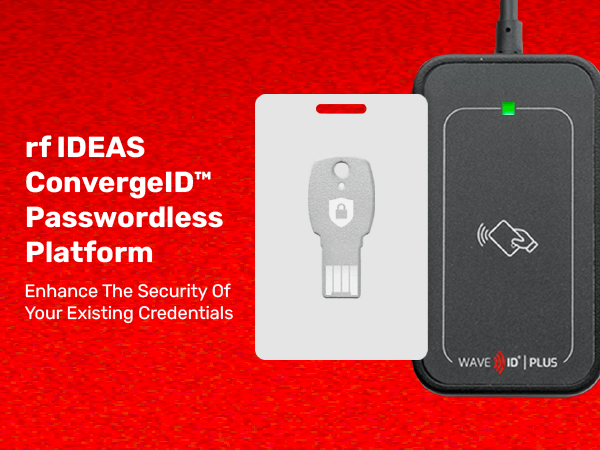
Whether you are using standalone FIDO2 security keys or leveraging your existing proximity card or contactless smartcard credentials for FIDO2 with ConvergeID, rf IDEAS offers reader options to support any use case. Check out which form factor and configuration fits into your passwordless authentication strategy:
- WAVE ID® Plus Mini: Able to support as many as four different card configurations and nearly every contactless or proximity card on today’s market, including FIDO2 NFC security keys, this reader fits in wherever you need it to.
- WAVE ID® Plus Mobile Mini: Easily fits in tight spots but packs a punch with the power of digital wallet security using built-in Bluetooth Low Energy and NFC technology.
- WAVE ID® SP Plus: A versatile dual-frequency reader that helps maximize the use of your existing credentials.
- WAVE ID® Nano: The world’s smallest, most resilient credential reader, the WAVE ID Nano is ideal for on-the-go applications, such as Single Sign-On, Mustering, and Time and Attendance, that require the protection of vital information.