Hola mundo alerta alerta

0

User Guide

FIDO2 User Guide - UG201

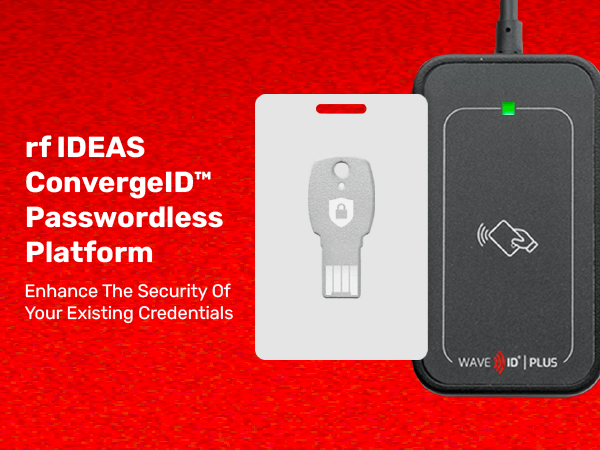
rf IDEAS off ers the following WAVE ID Plus and WAVE ID Nano readers that are compatible with FIDO2 NFC authenticators, in addition to most proximity and contactless cards worldwide: RDR-80586AKU: WAVE ID Plus V2 CCID/FIDO2 Black USB Reader. RDR-7516AKU: WAVE ID Nano Vertical 13.56 MHz CCID USB (Type A) Reader. RDR-75U6AKU: WAVE ID Nano Vertical 13.56 MHz CCID USB-C Reader These readers use a composite of two interfaces: the rf IDEAS SDK interface and the CCID smart card interface. Through the CCID interface, the reader is compatible with the PC/SC protocol.

Optimum Read Range Guide - RG500

Tips for effective communication between reader and bagde. Placement of the reader must allow for the primary reading surface to be completely exposed to the credential.

WAVE ID® Bio Cleaning Recommendations - PA135

The WAVE ID Bio can be cleaned using the same Optical Cleaning Products used to clean eyeglasses or cell phone glass surfaces. These Optical Cleaning Products include lens tissues, microfiber cloths and cleaning solutions.

rf IDEAS Product Guide Brochure - B802B

Product Guide: Card Readers - Presence Detectors - Converters. Proximity 125 kHz and Contactless 13.56 MHz. Count on our credential readers to keep your data safe and your people productive.

Quick Start Installation Guide

How to install the pcProx configuration utility (version 5.2.33) to test and/or configure your reader. 10 step quick installation guide.

SmartCard Manager 1.5 - User Guide

User Guide to the Smartcard Manager v1.5 - Configuring readers for LEGIC®, MIFARE® DESFire® and MIFARE Classic®. rf IDEAS Inc. June 2020.

IP67 Installation Guide - 99060024G

IP67 Installation Guide For WAVE ID® Surface Mount Reader. This installation guide provides instructions for mounting the IP67 WAVE ID Surface Mount reader onto a weatherproof box.

Serial Reader Pinout Diagram

Serial Reader Pinout diagram - AK2: PS/2 pass-thru connector taps power from keyboard/mouse connector - AK5: DB9 data and 5 Vdc Power supplied on Pin 9 of DB 9 connector -  AK6: DB9 data and 9 Vdc Power supplied on Pin 9 of DB 9 connector - AK7: Connector allows for external 9 Vdc power supply wall adaptor.

Serial Connector Pinout Diagram

Serial Reader Pinout Diagram. AK2: PS/2 pass-thru connector taps power from keyboard/mouse connector - AK5: DB9 data and 5 Vdc Power supplied on Pin 9 of DB 9 connector - AK6: DB9 data and 9 Vdc Power supplied on Pin 9 of DB 9 connector - AK7: Connector allows for external 9 Vdc power supply wall adaptor

Citrix Connect Support Guide

Technical Support Instructional Guide: How to Automatically Connect a Reader to a Citrix Environment My WAVE ID® reader is not recognized when using Citrix XenDesktop.

Contact Us!


Please note: The information you provide in this form will help us direct you to the appropriate partner who can best fulfill your request.